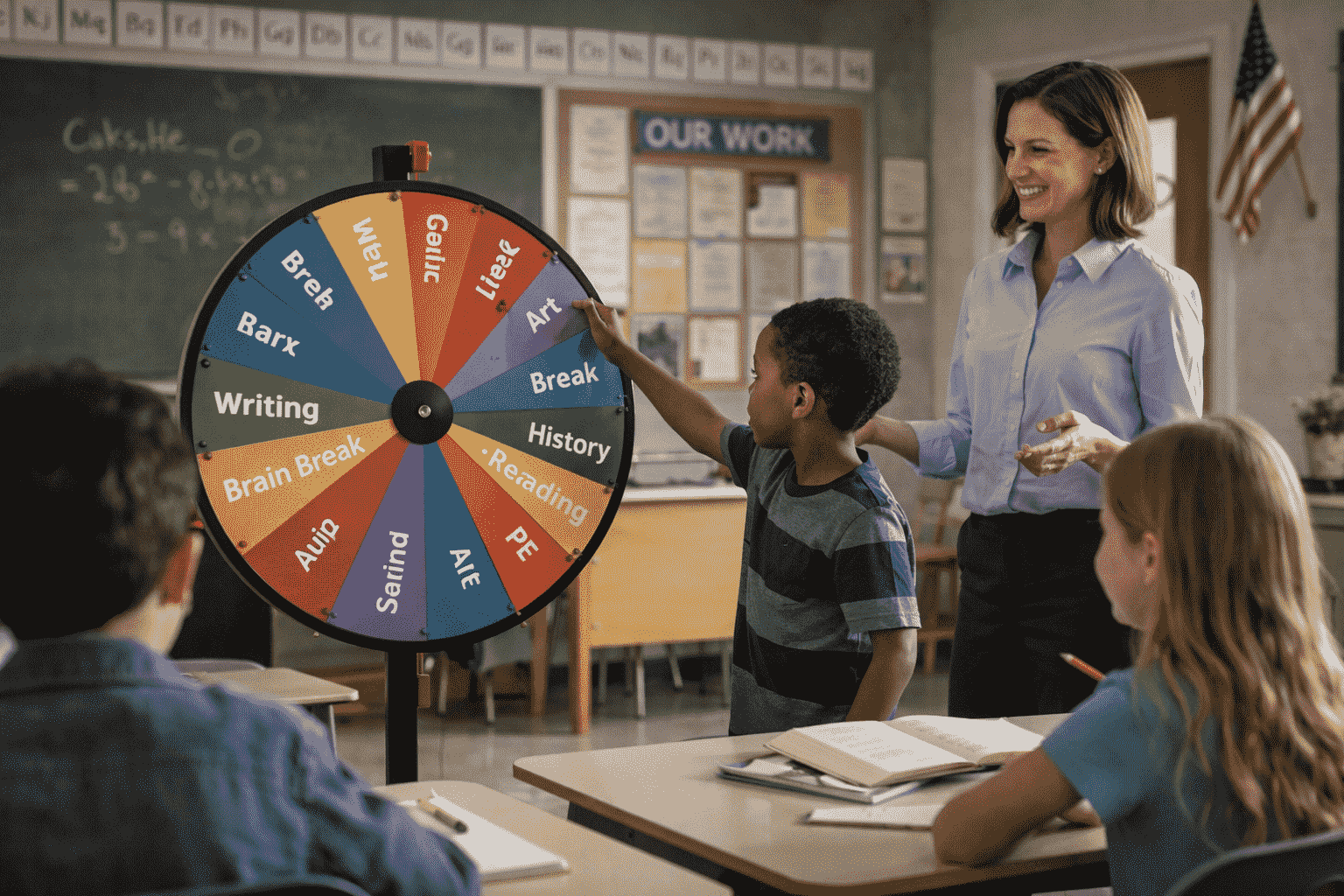
50+ Spin Wheel Ideas for the Classroom: The Teacher's Complete Implementation Guide
A spin wheel in a classroom is not a reward for good behavior — it is a teaching instrument. Used deliberately, it solves participation inequity, makes review feel like a game, manages transitions smoothly, and gives every student equal access to the learning opportunities that classroom interaction provides. This guide covers exactly how.
Teachers report consistently that the most difficult classroom management challenges are not dramatic behavioral incidents. They are the quiet, cumulative patterns: the same students answering every question, the transitions that take five minutes longer than they should, the review sessions that feel like pulling teeth, the students who go an entire week without contributing a single spoken word to class discussion.
A spin wheel, used strategically, addresses all of these — not by adding complexity to the classroom, but by removing the invisible friction that these patterns create. Random selection removes the social hierarchy from participation. Visible spin draws make transitions feel like an event rather than a disruption. Gamified review activates attention that passive study cannot. And equal-probability selection ensures that the student who never raises their hand receives the same practice opportunities as the one who always does.
This guide provides over 50 specific, ready-to-implement spin wheel ideas organized by classroom function. Each section includes the pedagogical rationale, implementation guidance, and ready-to-use prompt examples — so you can build your wheels and use them in the next session.
1. Participation and Student Name Selection
The name wheel is the most universally useful classroom spin wheel application — and the research behind it is the strongest. Studies on cold-call participation (Dallimore, Hertenstein & Platt, 2013) show that random selection produces higher preparation rates, better content retention, more equitable participation across student demographics, and — contrary to intuition — lower sustained anxiety than volunteer-based systems.
The key design principle: initial anxiety spikes, then declines to below volunteer-system baseline as students normalize the expectation of selection. The first two weeks are the adjustment period; what follows is a more equitable, more engaged classroom.
Ready-to-Build Name Wheel Configurations
Implementation Tips for Name Wheels
- Build the wheel before term begins — enter all student names on the first day; save the wheel so you open it in seconds rather than setting it up during class time
- Project it on the board — the visible spinning process is what creates the fairness perception; a result announced after a private spin carries no more authority than a teacher selection
- Use results tracking to ensure rotation — remove names after selection during a session to prevent repeated selection; reset between sessions or track across days to ensure long-term equity
- Frame it positively from day one — "This ensures everyone gets an equal chance to share their thinking" not "I'll be calling on you randomly so stay on your toes"
2. Subject-Specific Review and Learning Activities
Review sessions are among the most challenging instructional moments to sustain engagement through — because the information is familiar, the format is typically passive, and the social cost of being "wrong" in front of peers is at its highest. A spin wheel transforms review from a passive test of recall into an active, shared, low-stakes game.
The key insight: when the wheel selects the question, nobody chose the hard one. The difficulty of the question is neutral — it landed, and everyone accepts it. This removes the social politics from review and distributes challenge equitably.
Vocabulary and Language Arts
- Vocabulary definition wheel — load target vocabulary words; spin to select the word, selected student (or class) provides definition, uses it in a sentence, or identifies a synonym
- Word form wheel — each segment shows a base word; spin to practice noun/verb/adjective/adverb forms, identify root words, or apply prefixes and suffixes
- Grammar rule wheel — segments represent grammatical concepts (comma rules, subject-verb agreement, pronoun reference); spin and provide an example sentence demonstrating the rule
- Literary device wheel — load devices (metaphor, alliteration, foreshadowing, irony); spin and identify or create an example from the current class text
- Spelling challenge wheel — spin to select the word to spell, define, or use in context; for younger students, add kinesthetic options (spell it jumping, clapping each letter)
- Reading response wheel — load discussion prompt types (character, theme, setting, author's purpose, text connection); spin to determine the response frame for the current text
Mathematics
- Math fact speed wheel — segments show multiplication table numbers; spin to select the times-table to practice for 60 seconds; combine with a name wheel to select who leads
- Problem-type wheel — segments represent problem categories from the current unit (fractions, word problems, geometry, algebra); spin to determine the type of practice problem to solve next
- Operation wheel — spin to select which operation (+, −, ×, ÷) to apply to a set of given numbers; works for mental math warm-ups
- Math talk wheel — load mathematical communication prompts ("Explain your strategy," "Prove it's correct," "Find a different method," "What would happen if…"); spin to select how the student must present their solution
- Estimation challenge wheel — spin to select an estimation scenario; compare estimates across the class before calculating the exact answer
Science
- Vocabulary and concept wheel — load unit terms; spin to identify, define, draw, or explain the relationship between the selected concept and one other
- Scientific process wheel — segments represent steps of the scientific method; spin to determine which step the class discusses, critiques, or applies to a given scenario
- Lab role assignment wheel — for practical sessions, spin to assign roles (lead experimenter, recorder, safety monitor, materials manager); rotates across labs so all students experience every role
- Current events connection wheel — load current science news topics; spin to select which the class discusses and connects to the current unit
Social Studies and History
- Historical figure wheel — spin to select a key figure; selected student provides one fact, one significance statement, or one connection to a current event
- Map skill wheel — load geographic regions, countries, or features; spin to identify, locate, or explain significance
- Perspective wheel — for historical events, load different stakeholder groups; spin to assign which perspective a student argues from in a discussion
- Timeline placement wheel — spin to select an event; class places it on a class timeline and explains its relationship to adjacent events
World Languages
- Tense and conjugation wheel — segments show verb tenses (present, past, future, conditional); spin to select the tense in which the selected student must conjugate or use a given verb
- Conversation scenario wheel — load real-world scenarios (ordering food, giving directions, introducing yourself, describing a problem); spin to assign the conversation scenario for pair practice
- Translation challenge wheel — alternate segments between target language phrases and English equivalents; spin and translate in the required direction
- Cultural comparison wheel — load cultural topics; spin to select the comparison topic for a brief discussion connecting to the language being studied
3. Classroom Management and Transitions
Classroom management applications of spin wheels are underused relative to their effectiveness. Transitions, task assignment, and behavior systems all have friction points that a well-designed spin wheel can eliminate — not by adding complexity, but by removing the decisions that slow classroom momentum.
Transitions and Logistics
Positive Behavior Reinforcement
Variable ratio reinforcement — rewards delivered on an unpredictable schedule — produces stronger and more persistent behavioral responses than fixed reward schedules. A spin wheel reward system applies this principle directly: students know a reward is possible at any time, which sustains positive behavior throughout the session rather than only when a reward is predictably imminent.
- Class reward wheel — when the class earns a collective reward (meeting a participation target, completing a challenge), spin a wheel loaded with reward options (extra free time, music during work time, choose the brain break, homework pass); the class earns a spin, the wheel selects what they receive
- Star student recognition wheel — at the end of the week, spin from names of students who demonstrated a target behavior to select the week's spotlight; keeps recognition feeling fair and motivates behavior across the full student group rather than a predictable subset
- Mystery reward Friday — one slot on the class reward wheel contains "Mystery Reward" — an unknown prize revealed only when the wheel lands on it; the uncertainty maintains engagement with the reward system throughout the week
- Table challenge wheel — load challenges for table groups (tidiest desk, most collaborative, best discussion starter); spin at the end of a work session to determine which challenge was evaluated; the class doesn't know in advance which behavior is being tracked, sustaining all behaviors simultaneously
4. Differentiated Instruction and Learning Choice
Differentiated instruction is one of the most pedagogically robust — and most logistically challenging — teaching practices. The spin wheel doesn't replace the work of differentiation, but it removes several friction points that make differentiated tasks difficult to manage in a full classroom.
Task and Complexity Selection
- Bloom's taxonomy wheel — six segments representing the levels of Bloom's taxonomy (remember, understand, apply, analyze, evaluate, create); spin to determine the cognitive level at which students must engage with the current content; can be used class-wide with the same content or individually with differentiated content
- Product wheel — load different output formats (written paragraph, visual diagram, oral explanation, comparison chart, annotated image, numbered list); spin to determine how students demonstrate their understanding of a concept — same content, different expression
- Research angle wheel — for research projects, load different analytical lenses (economic, social, environmental, political, cultural, technological); spin to assign which perspective each student or group must investigate
- Difficulty selector wheel — when offering tiered tasks, use a wheel with different challenge levels described generically ("Standard," "Extended," "Challenge") rather than by student name; spin privately with the student to help them select their task without the social visibility of ability grouping
Learning Style and Process Variation
- Study strategy wheel — load evidence-based study strategies (spaced practice, retrieval practice, elaborative interrogation, concept mapping, self-explanation); spin to select the strategy for the day's independent study session; builds student exposure to effective strategies they might not choose themselves
- Note-taking format wheel — segments include different note-taking structures (Cornell notes, mind map, outline, sketch notes, timeline); spin to vary the format students use for different lessons — building fluency across multiple academic literacy skills
- Collaboration structure wheel — load different pair and small group protocols (think-pair-share, jigsaw, gallery walk, fishbowl, peer teach); spin to vary the social structure of collaborative learning activities
5. Formative Assessment and Checking for Understanding
Formative assessment — checking student understanding in real time during instruction rather than only at the end of a unit — is among the most evidence-backed instructional practices available. Spin wheels make formative assessment faster, more engaging, and more equitably distributed.
Quick Check Wheels
- Understanding check wheel — load comprehension check question types ("Define in your own words," "Give an example," "Apply this to a new situation," "What's the most confusing part?," "Connect this to something you already know"); spin to select the check-for-understanding prompt after explaining a concept
- Self-assessment wheel — segments include confidence levels with specific descriptors ("I could explain this to someone else," "I get the main idea," "I need more practice," "I'm lost — I need help"); spin at the end of a lesson segment to select how students report their understanding level, anonymizing responses by asking all students to respond simultaneously
- Error analysis wheel — load common misconception types specific to the current unit; spin to select which type of error the class examines together, using anonymous student work samples
- Peer feedback wheel — load specific feedback prompts ("Identify one strength," "Ask one clarifying question," "Suggest one improvement," "Make a connection"); spin to assign the type of feedback students provide on a peer's work
Lesson Closure and Synthesis
- Exit ticket prompt wheel — load different exit ticket formats (one sentence summary, three key points, one question you still have, sketch the concept, connect to prior knowledge); spin each day to vary the closure format without teacher planning overhead
- Ticket out the door wheel — combine a prompt wheel with a name wheel; spin for the prompt, spin for who shares aloud before all students write independently; creates a synthesis moment and a sample response to calibrate before reading the full class set
- Misconception correction wheel — load common wrong answers or incomplete understandings from previous assessments; spin to select which misconception the class revisits and corrects collaboratively
6. Special Activities, Events, and End-of-Unit Celebrations
Spin wheels add energy and novelty to recurring classroom events that can become routine. When used sparingly in special contexts, they maintain the "event" quality that sustains student engagement.
Review Game and Competition Formats
- Question category wheel — for Jeopardy-style review, spin to randomize which category is offered next rather than teams selecting; prevents teams from strategically avoiding difficult categories and ensures all content is covered
- Challenge type wheel — in review games, spin to determine the format of the round (individual answer, team discuss-then-respond, fastest hand, whiteboard race, collaborative response); keeps game dynamics unpredictable and engaging
- Bonus point wheel — after a team answers correctly, spin for bonus points (2, 3, 5, or "double your score"); adds excitement to correct answers and keeps point differentials from becoming discouraging
- Wildcard wheel — load wildcards that affect the game state ("Steal a point from any team," "Everyone answers in 30 seconds," "Team captain must answer alone," "Skip this question"); spin a separate wildcard wheel at defined moments
Project and Creative Work
- Writing prompt wheel — for creative writing sessions, spin a prompt wheel rather than assigning a prompt; students engage more willingly with a "random" prompt than one that feels imposed, because the wheel's neutrality reduces the feeling of being evaluated on their prompt preference
- Topic assignment wheel — for research or presentation projects where multiple topics are available, spin to assign rather than allowing selection; reduces the social dynamics of topic choice and ensures less popular topics are covered
- Art medium or technique wheel — in art class, spin to assign the medium or technique for an open project; builds technical range across students who would otherwise default to familiar approaches
Seasonal and Celebration Events
- Class vote tiebreaker — when class votes for a shared decision (movie day choice, class party activity, book for read-aloud) produce a tie or indecisive result, spin between the tied options for a fair, uncontested resolution
- End-of-unit celebration wheel — when a unit concludes, spin a wheel loaded with celebration options (free choice reading, art project, game period, class trivia); students experience the reward without the teacher bearing the decision
- Seasonal review challenge wheel — for holiday-themed review sessions, create themed wheel segments (Halloween: "Spooky Synonym Challenge," "Monster Math," "Ghost Story Grammar"); the theming increases engagement without changing the educational content
- Prize draw for exceptional work — collect names of students who demonstrated exemplary effort or growth over a period; spin to select a spotlight student for recognition, ensuring even quiet achievers are included
7. Digital and Hybrid Classroom Applications
Online and hybrid teaching environments amplify the participation inequity problems that spin wheels solve. When students are not physically present, the social accountability that keeps attention focused disappears — and the same two or three students who dominate in-person discussions dominate online ones, often more severely.
Virtual Classroom Adaptations
- Breakout room assignment wheel — load student names and spin to assign to breakout groups rather than using the video platform's random assignment, which can feel anonymous; visible spin creates the sense of a deliberate, fair grouping
- Chat challenge wheel — spin for a question; all students respond simultaneously in the chat on a signal, preventing the anchor effect of one student's answer shaping all the others
- Unmute spotlight — spin to select who unmutes and responds verbally; reduces the social cost of "being the one who speaks" by distributing it visibly and neutrally
- Screen share slot — for classes where students share work digitally, spin to select whose screen is shared for discussion; prevents the same students from dominating the display time
Tech Integration
- Digital tool assignment wheel — when multiple digital tools are available for a task (video, podcast, infographic, interactive presentation, blog post), spin to assign which tool each group uses; builds digital literacy range without tool-selection debates
- Device-free challenge wheel — load tasks that can be completed without devices to create intentional breaks from screen time; spin to select the device-free activity at defined intervals
Building Your Classroom Spin Wheel Library: A Teacher Setup Guide
The teachers who get the most consistent value from spin wheels in their classrooms are those who build a library of pre-saved wheels at the start of term — rather than building wheels reactively during lessons. Here is a practical setup framework:
Enter all student names in alphabetical order on your first wheel. Save it with the class name and year (e.g., "Period 3 – 2024–25"). This is your most-used wheel and the one that saves the most time across the year. Add new students as they join; remove students who leave.
Create wheels you'll use across all lessons: a classroom jobs wheel, a brain break selector, a discussion prompt type wheel ("define it," "explain why," "give an example," "apply it," "evaluate it"), and a product/output format wheel. These work regardless of subject content and can be reused indefinitely.
At the start of each new unit, build a vocabulary wheel with the target terms, a concept review wheel with the key ideas, and if relevant, a discussion question wheel. These take 5–10 minutes to build and replace the deliberation overhead of "which concept should we review today?" across every lesson in the unit.
Build wheels for specific upcoming events: a review game wheel before assessments, a project assignment wheel for the current project, a celebration activity wheel for end-of-unit events. These are disposable — built once, used once or twice, then replaced with the next event's wheel.
At each unit transition, archive your content-specific wheels and build new ones. Review your universal wheels each term and update prompts that have become stale or overused. A discussion prompt wheel that students can recite from memory has lost its engagement value — replace 30–40% of prompts each term to maintain novelty.
Quick Reference: Ready-to-Use Wheel Prompt Libraries by Subject
Copy these prompt sets directly into your wheels — or adapt them for your specific content and grade level:
Universal Discussion Prompts (works for any subject)
- Explain this concept in your own words — no jargon
- Give a real-world example of this
- What would happen if this were NOT true?
- How does this connect to something we studied earlier?
- What question does this make you want to ask?
- What's the most important thing to understand about this?
- Agree or disagree with [statement] and explain why
- Explain this to someone who has never studied it
Creative Writing Prompts
- Write from the perspective of the villain
- Continue the story — but change the genre
- Describe the scene using only the five senses — no emotions
- Write the same event from three different characters' POVs
- Set the scene in a completely different time period
- Rewrite the ending to make the opposite moral
- Add a character who changes everything
- Write the scene that happened before the story begins
Math Talk Sentence Starters
- I know this is correct because...
- A different way to solve this is...
- The mistake in this solution is... and here's why...
- This problem reminds me of... because...
- I estimated first by...
- The most efficient strategy here is... because...
- If the numbers changed to [X], the answer would change because...
- I'd check this by...
Science Discussion Prompts
- What evidence would change your hypothesis?
- Design an experiment to test this
- What are the real-world implications of this finding?
- Identify the variables: independent, dependent, controlled
- How does this relate to what you observe in daily life?
- What could go wrong in this experiment and why?
- Who benefits from this scientific knowledge — and who doesn't?
- What would a scientist need to do to prove this definitively?
Classroom Jobs Wheel (Elementary)
- Line leader
- Door holder
- Light switch manager
- Materials distributor
- Calendar helper
- Attendance monitor
- Book return manager
- Class messenger
Brain Break Options
- 30-second stretch (stand and reach)
- 5 deep breaths — in for 4 counts, out for 6
- Walk to the window, find 3 things you notice, come back
- Silent doodle — draw whatever comes to mind for 60 seconds
- Stand up, clap a rhythm, sit back down
- High five three different people without speaking
- Write your name with your non-dominant hand
- Eyes closed — count 10 sounds you can hear right now
Using WheelSpinPro in Your Classroom
WheelSpinPro is designed for the practical constraints of classroom environments — where setup time must be minimal, the tool must work reliably on school technology, and the visual display needs to be clear enough for every student in the room to follow:
- Browser-based, no installation — works on school computers, shared laptops, tablets, and interactive whiteboards without software installation or IT approval; if you have a browser, you have WheelSpinPro
- Pre-built saveable wheels — create your class roster wheel, vocabulary wheel, and job wheel once at term start; open any wheel in seconds without re-entering data during a lesson
- Results history tracking — log which students have been called on; remove previously selected names to ensure equitable rotation across a lesson and a term
- Center Spin format — specifically designed for large-screen display, with a central pointer that is clearly visible from the back of a classroom on a projector or interactive whiteboard
- Works on student devices too — for student-facing activities where each student or group spins their own wheel, WheelSpinPro works without accounts on any student device
- No student accounts required — students don't need to create accounts or sign in; the teacher operates the tool and students participate without any data privacy concerns
Final Thoughts: The Spin Wheel as a Teaching Tool, Not a Teaching Decoration
Every idea in this guide serves a specific instructional or management purpose. The name wheel creates participation equity. The vocabulary wheel makes review active. The behavior wheel applies evidence-based reinforcement science. The product wheel builds assessment flexibility without planning overhead.
None of them require the teacher to give up instructional control. They require the teacher to give up only the friction — the social dynamics of who participates, the deliberation overhead of which question to ask next, the inequity of who gets the easiest or hardest task — while maintaining full control of the content, the learning objectives, and the classroom environment.
A spin wheel is not a teaching shortcut. It is a teaching instrument — one that removes specific, documented barriers to equitable, engaging, and efficient instruction. The classrooms where it is most effective are the ones where it is most deliberately used: with specific wheels for specific purposes, built in advance, deployed at the right moments, and maintained across a term as a standing feature of the learning environment rather than a novelty that appears once and disappears.
Build the wheels. Use them consistently. The classroom that results will be noticeably fairer, more engaging, and less reliant on the teacher's moment-to-moment decisions for its energy.
📎 Related Articles on WheelSpinPro
- Spin Wheels for Classrooms and Online Learning — the research behind classroom spin wheels and participation equity
- Why Fair Decision-Making Matters — procedural fairness psychology and why visible random selection builds trust
- Why Fair Decision-Making Matters — And How Randomization Fixes It — the psychology of procedural fairness and random selection
- How Spin Wheels Improve Team Productivity — the same participation principles applied in workplace meetings
- Try Center Spin — the classroom-optimized spinner format for projector and whiteboard display
Frequently Asked Questions
📚 External References
- Dallimore, E. J., Hertenstein, J. H., & Platt, M. B. (2013). Impact of Cold-Calling on Student Voluntary Participation — Journal of Management Education, 37(3). Research documenting how random student selection affects preparation rates, engagement quality, anxiety trajectories, and participation equity compared to volunteer-based systems. SAGE Journals
- Bloom, B. S., et al. (1956). Taxonomy of Educational Objectives: The Classification of Educational Goals — Longmans Green. The foundational framework for cognitive level classification used in Bloom's taxonomy wheel applications. Pearson Education
- Hattie, J. (2009). Visible Learning: A Synthesis of Over 800 Meta-Analyses Relating to Achievement — Routledge. Comprehensive meta-analysis identifying formative assessment and active participation as among the highest-effect instructional strategies — the research basis for the assessment and participation applications in this guide. Routledge